

COPRA RF CageForming
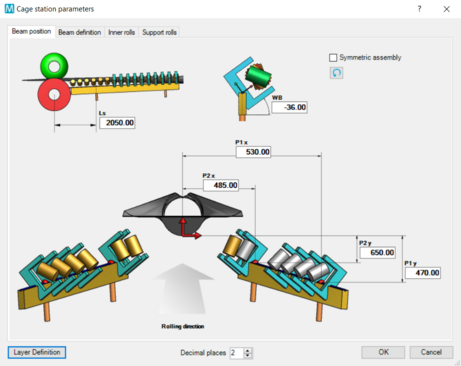
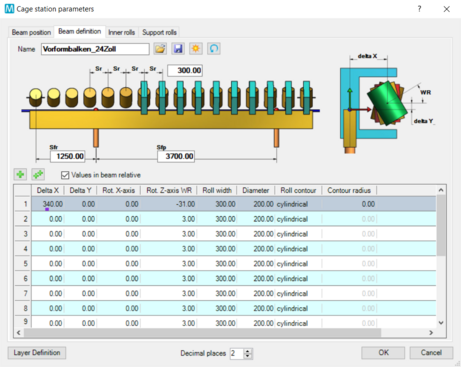
COPRA RF CageForming provides all necessary tools to create roll cages for the so-called linear cage forming process. Our custom developed module is a versatile tool for producers of longitudinally welded tubes to develop roll tooling for various different tube diameters with minimized tool changes.
COPRA RF CageForming - at a glance
- Modeling of all types of roll cages
- Production of different tube diameters with minimized tool changes
- Reduced tool costs and faster set-up times
- Determination of the optimal machine set-up
- Simulation of the virtual tube mill with COPRA FEA RF
Reduced costs through optimized material forming
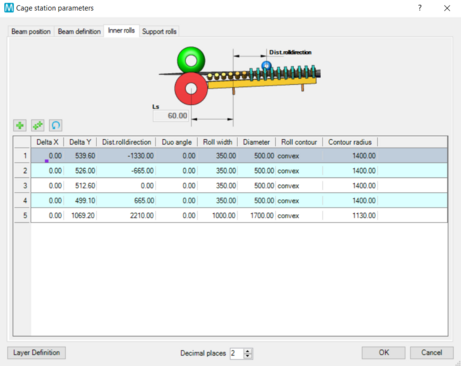
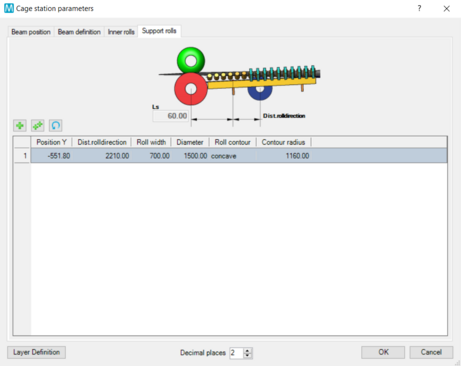
Linear cage forming with COPRA RF CageForming leads to significant cost reduction by means of a more efficient production process. Due to the integrated parametrics, all common types of roll cages can be modeled with COPRA RF. This saves tool cost and enables a faster commissioning because the rolls do not need to be modified. If single parameters change, COPRA RF CageForming updates the rolls automatically - their dimensions and positions are always kept up to date in a database.
COPRA RF CageForming automatically transfers the roll cage into an FEM model for the simulation of the virtual tube mill with COPRA FEA RF.
The software takes into account both the strip entry, i.e. the break-down stands, and the downstream fin-passes where the coil leaves the linear cage. These transition areas, for example, have a significant influence on the final welding quality. In addition, COPRA RF CageForming deliveres the right machine setup parameters.
By the way: COPRA RF CageForming is also the software of choice if you need to determine optimum setup parameters of your tube mill - even if you do not have any data. In such a situation COPRA RF CageForming allows you to gather the position coordinates of your linear cages (including roll- and axes positions), for example, from an existing 3D CAD model.